What Is an SEO Audit and How to Conduct One
An SEO audit finds what's holding your website back from ranking. Here's how to conduct one in 2026, step by step.

Your website ranks below your competitors and you are not sure why. The answer is almost always buried in your site's data — and an SEO audit is how you find it.
An SEO audit is a structured examination of everything that affects your site's visibility in search engines. It exposes technical errors, content gaps, linking weaknesses, and user experience problems before they cost you months of organic traffic. For businesses in the Philippines and everywhere else, it is the logical starting point before any SEO strategy can be built with confidence.
This guide walks through exactly what an SEO audit covers in 2026, how to conduct one step by step, and which tools to use.
What Is an SEO Audit?
An SEO audit is a systematic review of a website's technical foundation, on-page content, and off-page authority to identify what is preventing it from ranking higher in search results.
A complete audit answers three questions:
- Is the site technically accessible and crawlable by Google?
- Is the content relevant, authoritative, and aligned with what searchers want?
- Does the site have enough external authority to compete for its target keywords?
Audits are not a one-time event. Most SEO professionals recommend conducting a full audit at least twice per year, with lighter monthly checks in between. Major changes — a site migration, a redesign, or a significant traffic drop — always warrant an immediate audit.
Understanding the fundamentals of what SEO is helps frame what an audit is actually measuring: the signals Google uses to decide where your pages appear in search results.
What a 2026 SEO Audit Covers
The scope of a thorough SEO audit has expanded significantly in the past two years. In 2026, a complete audit covers five pillars:
1. Technical SEO
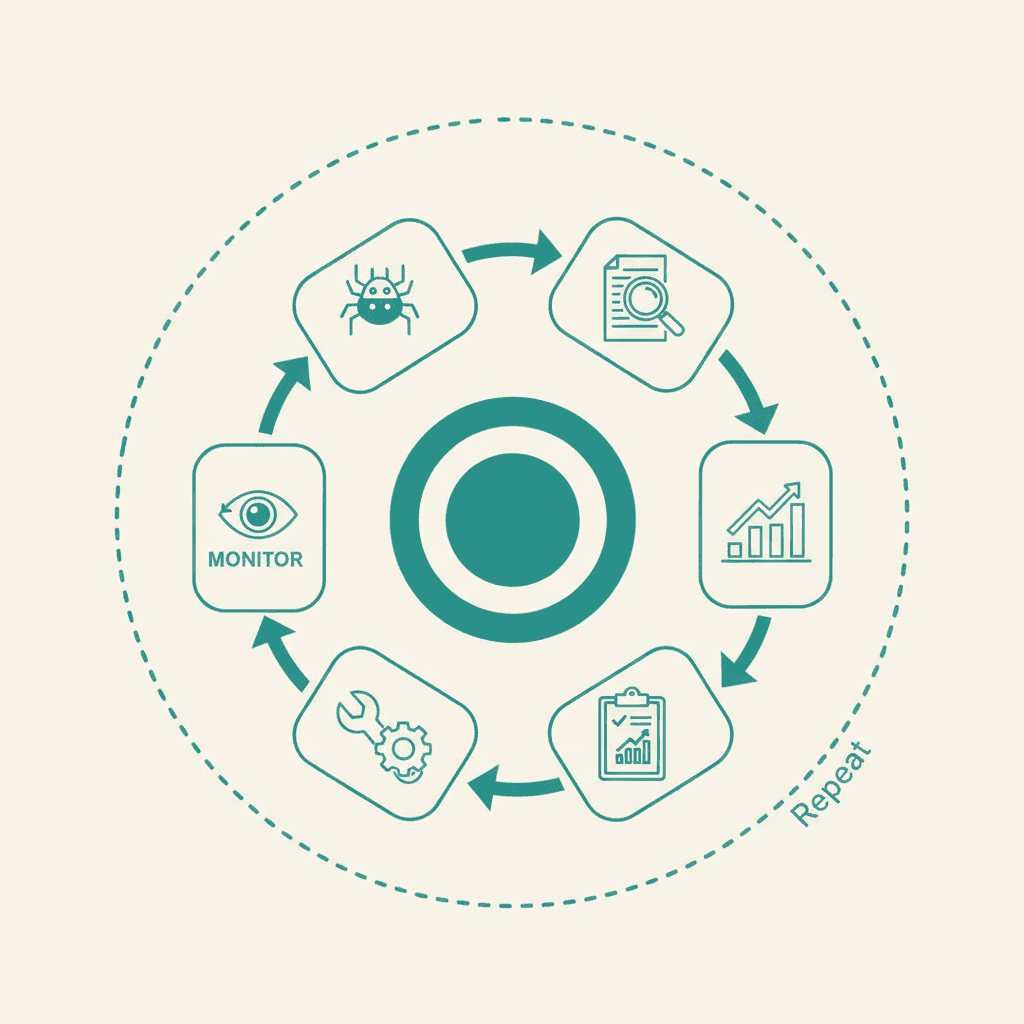
The technical layer covers everything that affects how search engines crawl, index, and render your site. Key checks include:
- Crawlability: Are all important pages accessible to Googlebot? Are robots.txt rules and noindex tags set correctly?
- Indexing: Does Google Search Console show unexpected indexing exclusions?
- Site architecture: Is the URL structure logical? Are there orphaned pages with no internal links pointing to them?
- HTTPS: Is the entire site served over a secure connection with no mixed content errors?
- Core Web Vitals: How does the site score on LCP, INP, and CLS?
- Mobile usability: Does the site pass Google's mobile usability tests?
- Structured data: Is schema markup implemented correctly and relevant to the content?
2. Core Web Vitals and INP
In March 2024, Google replaced First Input Delay (FID) with Interaction to Next Paint (INP) as the third Core Web Vitals metric. This is one of the most important updates for technical audits in 2026.
INP measures the responsiveness of a page to all user interactions — not just the first one. A good INP score is under 200 milliseconds. Pages scoring above 500 milliseconds are rated "poor" and face ranking disadvantages in competitive SERPs.
The three Core Web Vitals thresholds to audit against:
- LCP (Largest Contentful Paint): Good = under 2.5s
- INP (Interaction to Next Paint): Good = under 200ms
- CLS (Cumulative Layout Shift): Good = under 0.1
Use Google PageSpeed Insights, the Chrome Web Vitals extension, and the CrUX (Chrome User Experience Report) dashboard to assess real-world field data, not just lab scores.
3. On-Page SEO and Content Quality
On-page audit checks cover every element on individual pages that sends relevance signals to Google:
- Title tags: Under 60 characters, primary keyword near the front
- Meta descriptions: Under 155 characters, written to earn clicks
- Heading structure: Single H1, logical H2/H3 hierarchy
- Keyword placement: Natural use of primary and semantic keywords in the first 100 words, headings, and conclusion
- Content depth: Does the page thoroughly answer the search intent?
- Duplicate content: Are there pages competing with each other for the same keywords?
- Image optimization: Alt text, file names, and WebP format usage
For a detailed checklist of on-page elements to audit, see the on-page SEO audit checklist.
4. E-E-A-T and Content Quality Signals
Google's quality evaluator guidelines put significant weight on Experience, Expertise, Authoritativeness, and Trustworthiness (E-E-A-T). An audit in 2026 must assess these signals explicitly:
- Author credentials: Do pages with expert claims have author bios with verifiable credentials?
- First-hand experience: Does the content demonstrate real-world experience (original research, case studies, firsthand observations)?
- Trust signals: Is there a clear About page, contact information, and editorial policy?
- Citation quality: Does the content link to credible, authoritative sources?
E-E-A-T is particularly critical for YMYL (Your Money Your Life) topics: finance, health, legal, and anything involving significant personal decisions.
5. AI Content Detection and Scaled Content Assessment
Since Google's March 2025 core update, AI-generated content that lacks genuine value, original perspective, or human editorial judgment has faced ranking suppression. A 2026 audit must assess:
- Which pages show signs of scaled, undifferentiated AI content
- Whether AI-assisted pages have been reviewed, fact-checked, and enriched with original insight
- Whether content satisfies the "helpful content" standard (does it serve the searcher, or does it exist primarily to rank?)
This is not about penalizing all AI content — Google's documented stance is that high-quality AI-assisted content is acceptable. The audit flag is content that is clearly mass-produced, generic, and adds no unique value.
6. Off-Page Authority
The off-page audit reviews:
- Backlink profile: Total referring domains, domain rating distribution, and link growth trends
- Toxic links: Spammy or manipulative links that could trigger manual penalties
- Anchor text distribution: Is the anchor text profile natural and varied?
- Competitor link gaps: Which domains link to competitors but not to you?
How to Conduct an SEO Audit: Step by Step
Step 1: Crawl the Site
Use a crawler — Screaming Frog, Sitebulb, or Ahrefs Site Audit — to map every URL on your site. The crawl data forms the foundation of the technical and on-page audit phases.
What to look for in the crawl:
- 4xx errors (broken pages)
- Redirect chains longer than two hops
- Pages with missing or duplicate title tags and meta descriptions
- Pages blocked by robots.txt that should be indexed
- Thin content pages (under 300 words with no clear purpose)
Step 2: Check Google Search Console
Google Search Console gives you direct data from Google itself. Check:
- Coverage report: Pages excluded from the index and why
- Core Web Vitals report: Field data showing LCP, INP, and CLS performance
- Mobile Usability report: Pages with mobile rendering issues
- Manual Actions: Any penalties applied to the site
- Performance report: Clicks, impressions, CTR, and average position by page and keyword
This is where you find the highest-priority issues — things Google has already identified as problems.
Step 3: Audit Technical Foundations
Work through your crawl data and Search Console findings to identify and prioritize:
- Indexing errors and crawl waste (bot time spent on low-value pages)
- Site speed and Core Web Vitals failures (INP and LCP are most impactful)
- Mobile usability issues
- Structured data errors (validate with Google's Rich Results Test)
- Internal linking gaps — orphaned pages and shallow link depth
Step 4: Conduct the On-Page and Content Audit
For each key landing page and high-priority blog post:
- Confirm title tag and meta description are unique and keyword-aligned
- Check heading structure for logical hierarchy
- Review content for depth, accuracy, and relevance to current search intent
- Look for keyword cannibalization (multiple pages targeting the same query)
- Verify internal links point to the most relevant related pages
Step 5: Run the E-E-A-T and Content Quality Check
Review pages for:
- Author attribution on content pages
- Trust signals on conversion pages
- Signs of scaled AI content that needs editorial enrichment
- Original data, research, or perspective that differentiates the content
Step 6: Audit the Backlink Profile
Use Ahrefs, Semrush, or Moz to pull your full backlink profile. Assess:
- Total referring domain count and trend
- Percentage of links from high-authority domains
- Spammy or irrelevant links worth disavowing
- Competitor backlink gaps to inform your link building strategy
Step 7: Compile Findings and Prioritize
Not all audit findings are equal. Prioritize by impact and effort:
- Critical (fix immediately): Indexing blocks, manual penalties, massive crawl errors
- High (fix within 30 days): Core Web Vitals failures, duplicate content, keyword cannibalization
- Medium (fix within 90 days): Missing structured data, thin content, toxic backlinks
- Low (fix when resources allow): Minor title tag tweaks, image alt text, anchor text variation
AI-Powered Auditing Tools in 2026
The best SEO audit tools now include AI-assisted analysis layers that flag issues automatically and prioritize recommendations:
- Ahrefs Site Audit with AI Insights: Automated issue detection with prioritized fix recommendations
- Semrush Copilot: AI assistant that monitors site health and surfaces emerging issues
- Screaming Frog 21.x: Enhanced JavaScript rendering and AI content scoring integrations
- Sitebulb: Visual crawl reporting with smart issue prioritization
For a deeper breakdown of every major tool, see the guide to the best SEO audit tools.
SEO Audits for Philippine Websites: What's Different
Philippine websites face some specific technical considerations worth including in your audit checklist:
- Hosting latency: Many local businesses use hosting with servers outside the region. Check Time to First Byte (TTFB) from Philippine IPs — slow TTFB inflates LCP scores significantly.
- Multilingual content: Sites serving both Filipino and English audiences should audit hreflang implementation to avoid duplicate content issues between language versions.
- Local schema markup: Verify that LocalBusiness schema is implemented with correct address, service area, and phone format.
- Mobile-first reality: Philippine internet usage is predominantly mobile. Core Web Vitals field data on mobile devices deserves extra attention.
How Much Does an SEO Audit Cost?
Audit pricing varies significantly by scope and provider. A self-conducted audit using free tools costs only your time. A professional audit from a local agency can run anywhere from ₱15,000 to ₱80,000 depending on site size. Enterprise audits from international firms can exceed $5,000 USD.
For a full breakdown of what drives audit pricing, see the SEO audit cost guide.
Frequently Asked Questions
How long does an SEO audit take?+
A basic DIY audit on a small site can be completed in a few hours using free tools. A thorough professional audit of a medium-sized site (50-500 pages) typically takes one to two weeks when done correctly, including data analysis and report writing.
How often should I do an SEO audit?+
A full audit twice per year is the standard recommendation. If your site undergoes a major redesign, migration, or experiences a sudden traffic drop, an immediate audit is warranted regardless of schedule.
What is the difference between a technical audit and a full SEO audit?+
A technical audit focuses exclusively on crawlability, indexing, site speed, and structural issues. A full SEO audit adds on-page content quality, off-page authority, E-E-A-T signals, and competitive gap analysis to the technical layer.
Can I do an SEO audit myself or do I need an agency?+
Yes, you can conduct a meaningful DIY audit using free tools like Google Search Console, PageSpeed Insights, and the limited free tier of Screaming Frog. However, a professional audit adds depth, competitive analysis, and strategic prioritization that self-conducted audits often lack.
How much does an SEO audit cost in the Philippines?+
Local agency audits typically range from ₱15,000 to ₱80,000 for small to mid-sized websites. AI-assisted audit packages from SEO agencies are emerging as a more affordable mid-tier option. Enterprise audits for large eCommerce or corporate sites can exceed ₱150,000. ---