On-Page SEO vs Technical SEO: What's the Difference?
On-page and technical SEO are related but distinct. Understanding the difference helps you fix the right problems — and know when to call a developer.
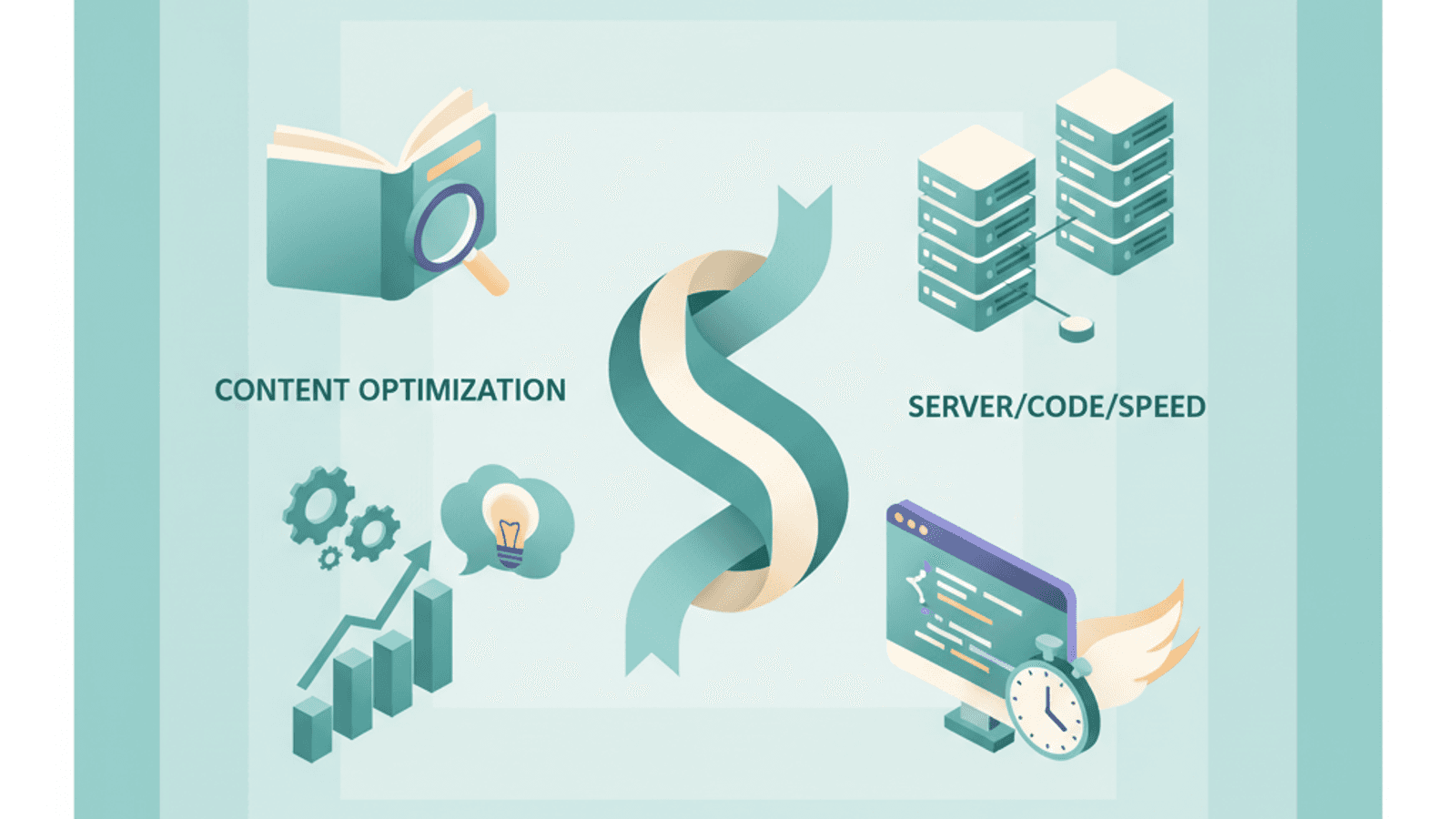
SEO has a terminology problem. "On-page SEO" and "technical SEO" are often used interchangeably, or treated as a simple split between content work and developer work. Neither framing is accurate enough to be useful.
The real distinction is functional: on-page SEO covers what search engines and users see on a page. Technical SEO covers the systems that determine whether search engines can find, crawl, and index those pages at all.
Getting both right is necessary. But knowing which discipline a problem belongs to — and in what sequence to fix things — is what turns an SEO audit into an effective action plan.
What On-Page SEO Covers
On-page SEO is the optimization of the visible and code-level elements of individual pages. The defining characteristic is that on-page elements directly serve both users and search engines.
A well-optimized page communicates its topic clearly, answers the user's intent comprehensively, and provides the metadata Google needs to rank it accurately.
On-page SEO elements:
- Title tags — what appears as the blue link in search results
- Meta descriptions — the summary text below the title
- Heading structure (H1, H2, H3) — content hierarchy and topic signaling
- Body content — depth, relevance, keyword coverage, E-E-A-T signals
- Image alt text and file names — accessibility and image search optimization
- Internal links — site architecture from the page level
- URL slug — the page's address within your site hierarchy
- Structured data/schema — explicit semantic markup
Most on-page SEO work does not require developer access. Content editors, marketers, and SEO specialists handle the majority of it through a CMS. For a full breakdown of every element and how to optimize it, see complete on-page SEO guide.
What Technical SEO Covers
Technical SEO is the optimization of your site's infrastructure — the systems that enable search engines to discover, crawl, render, and index your pages efficiently.
Technical problems can render all your on-page work invisible. A page with a perfect title tag, excellent content, and multiple backlinks will not rank if it's blocked by a robots.txt directive or returns a server error during crawling.
Technical SEO elements:
- Crawlability — can Googlebot access your pages?
- Indexability — are your pages being included in Google's index?
- Site architecture — logical URL hierarchy and crawl depth
- Page speed and Core Web Vitals — LCP, INP, CLS
- Mobile-first indexing — how your site renders on mobile devices
- HTTPS security
- XML sitemaps — a roadmap for crawlers
- Robots.txt configuration
- Canonical tags — resolving duplicate URL issues
- Structured data (shared territory with on-page)
- Log file analysis — understanding actual crawler behavior
- JavaScript rendering — ensuring dynamic content is crawlable
Technical SEO typically requires developer involvement, particularly for site speed optimization, JavaScript rendering issues, and server configuration. For Philippine businesses running sites on shared hosting, technical SEO issues — slow server response times, unoptimized images, poor mobile rendering — are frequently the primary ranking limitation.
Web design and performance optimization directly intersects with technical SEO here: a well-built site is a technically sound site.
Where They Overlap
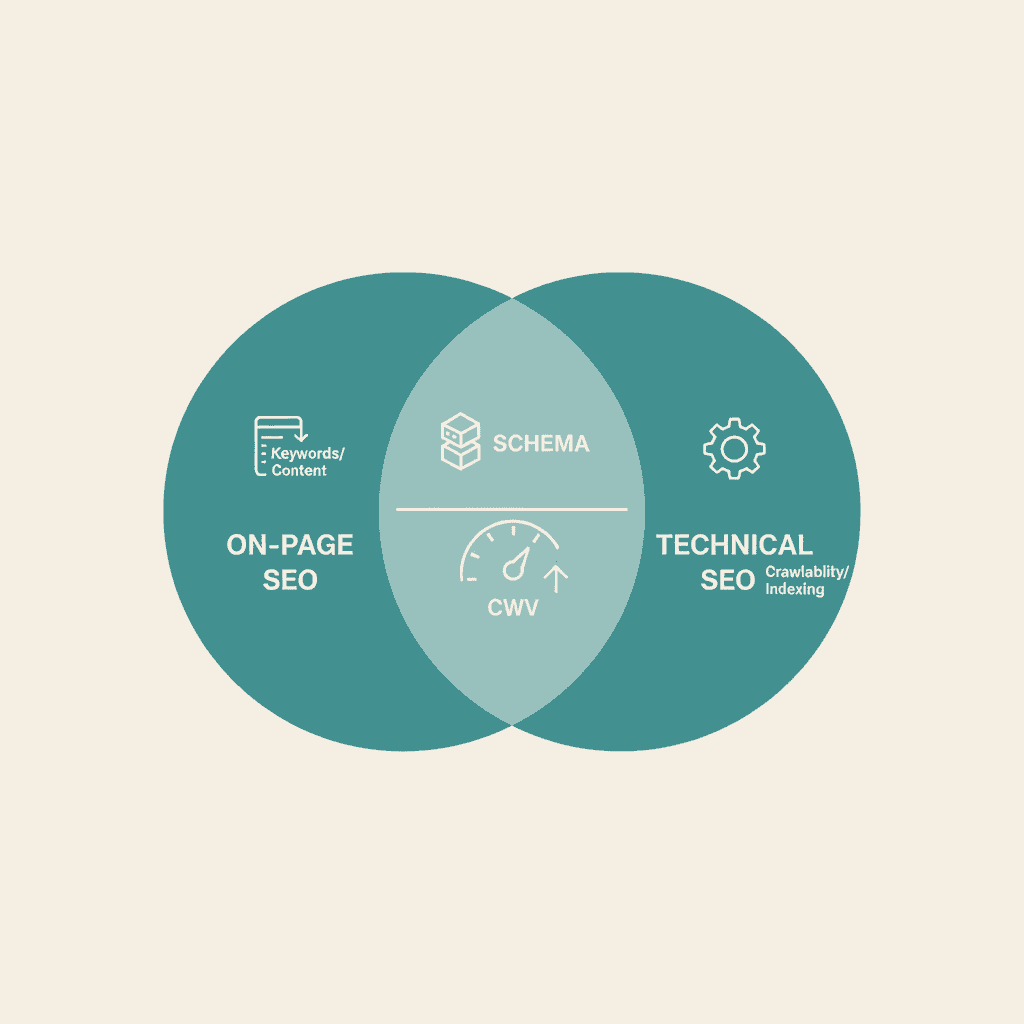
On-page and technical SEO share several areas, which is the source of most confusion:
Structured data (schema markup) — Schema is written in the page's HTML (on-page territory) but its primary function is to communicate structured information to search engines (technical territory). It's usually managed by whoever handles on-page optimization, but it requires developer comfort with JSON-LD or similar formats.
URL structure — URL slugs are an on-page concern (content naming conventions). URL infrastructure — subdirectories vs subdomains, parameter handling, redirect chains — is a technical concern. Both affect the same URL.
Core Web Vitals — LCP, INP, and CLS are measured at the page level (on-page) but the fixes are often infrastructural: image optimization, JavaScript loading strategy, server response time. These require coordination between content and technical teams.
Canonical tags — Written in page HTML (on-page) but address a crawl and index duplication problem (technical).
The practical implication: if you work in SEO, you need functional literacy in both disciplines even if you specialize in one.
A Side-by-Side Comparison
On-Page SEO — Technical SEO
Primary focus — What the page says and shows — How search engines access the site
Who does it — Content/SEO teams — Developers + SEO specialists
Requires dev access — Usually no — Usually yes
Tools — Surfer SEO, Ahrefs, SEMrush — Screaming Frog, GSC, PageSpeed Insights
Impact timeline — Weeks — Weeks to months
Shared territory — Schema, canonical tags, CWV — Schema, canonical tags, CWV
2026 Technical SEO Updates You Need to Know
Technical SEO has shifted meaningfully since 2024. If you haven't reviewed your technical setup recently, these are the changes most likely to be affecting your rankings.
INP replaced FID as a Core Web Vitals metric. Interaction to Next Paint measures how quickly your page responds to user interactions (clicks, taps, keyboard input). Pages with poor INP scores — common on sites with heavy JavaScript frameworks — now face ranking pressure. Check your INP scores in Google Search Console.
AI crawlers are generating new bot traffic. GPTBot, ClaudeBot, and other AI crawler user agents have added a new dimension to robots.txt and access management decisions. Sites blocking all bot access to save bandwidth may inadvertently be blocking AI crawler citations that now function as brand visibility signals in LLM-generated responses.
Mobile-first indexing is fully applied. Google uses the mobile version of your pages as the primary basis for indexing and ranking. If your mobile content is thinner than your desktop content, or your mobile performance significantly lags desktop, this is now your primary technical SEO concern.
Log file analysis for crawl efficiency. As sites grow, Googlebot's crawl budget becomes a meaningful constraint. Technical SEO now includes managing which pages consume crawl budget — blocking low-value pages (admin, duplicate filters, internal search results) to preserve it for pages that matter.
The Priority Question: Technical Before On-Page?
A common question in SEO audits: should I fix technical issues or on-page issues first?
The general principle: fix technical blocking issues before optimizing on-page elements, because technical problems can prevent on-page work from being seen at all. But most sites don't have critical technical blocks — they have incremental technical issues that add up alongside on-page gaps.
In practice:
- Fix critical technical issues first (crawl blocks, noindex on important pages, server errors)
- Address major Core Web Vitals failures that are generating Search Console warnings
- Start on-page optimization in parallel with incremental technical improvements
- Don't delay all on-page work waiting for a perfect technical state — the two work streams can run concurrently
For a comprehensive look at both dimensions together, a structured SEO audit covers technical and on-page findings in an integrated report.
Philippine Sites: Where Technical SEO Matters Most
Technical SEO issues show up with particular frequency in two areas for Philippine-based websites:
Mobile Core Web Vitals. With over 75% of Philippine web traffic coming from mobile devices, mobile CWV scores have outsized impact on Philippine SERP performance. Sites still loading 5+ megabyte image files, running render-blocking scripts, and serving desktop-formatted content to mobile users are leaving significant ranking potential on the table.
Hosting and server location. Server response time (TTFB — Time to First Byte) affects LCP scores. Philippine businesses hosting on offshore servers without CDN coverage often see slower TTFB scores for Philippine-based visitors. A local or regional CDN setup is a technical SEO fix that directly improves Core Web Vitals for the target audience.
Our SEO services team includes technical SEO analysis as part of every site audit, identifying the highest-impact infrastructure fixes alongside on-page optimization recommendations.
For the practical application of on-page optimization to mobile, see mobile SEO best practices — the on-page and technical elements converge there most directly.
Both disciplines ultimately feed into a unified SEO strategy that should be planned holistically.
Frequently Asked Questions
What is the main difference between on-page and technical SEO?+
On-page SEO optimizes what's on each individual page — content, titles, headings, images, internal links. Technical SEO optimizes the site's infrastructure — crawlability, indexability, page speed, mobile rendering, structured data architecture. On-page work makes pages relevant and useful; technical SEO ensures those pages can be found and evaluated.
Should I fix technical SEO before on-page SEO?+
Fix critical technical blocking issues first — anything that prevents Google from crawling, rendering, or indexing your pages. For non-blocking technical issues (slow page speed, missing schema), on-page optimization can run in parallel rather than waiting for technical work to be completed first.
Does page speed count as on-page or technical SEO?+
Both. Page speed is measured at the page level and affects individual pages' rankings (on-page concern). But the fixes — image optimization, JavaScript loading, server configuration, CDN setup — are largely infrastructure-level work (technical concern). In practice, optimizing page speed requires both content team input (image sizing decisions) and developer input (loading strategy, caching).
Can a non-developer handle technical SEO?+
Yes, for many technical SEO tasks. Google Search Console requires no development access and surfaces most critical technical issues. Screaming Frog requires no dev access and audits crawl issues, redirect chains, and metadata problems. The tasks that genuinely require development access are server configuration, JavaScript rendering fixes, and page speed infrastructure changes.
How does Core Web Vitals relate to on-page SEO?+
Core Web Vitals (LCP, INP, CLS) are measured per-page and affect individual page rankings, making them a page-level SEO concern. But the root causes of poor CWV scores are usually technical: unoptimized images, render-blocking JavaScript, poor server response time. Improving Core Web Vitals typically requires coordination between on-page decisions (image sizing, content load order) and technical fixes (loading strategy, caching, CDN configuration).