SEO-Friendly URLs: A Complete Guide
SEO-friendly URLs are short, descriptive, and structured. Here's how to create, audit, and fix your URL structure for better rankings and usability.
Your URLs are more than web addresses. They're signals — to search engines, to users previewing a link before clicking, and to the broader content architecture of your site.
A clean, descriptive URL tells Google exactly what a page covers, helps users trust the link before they click it, and contributes to the site hierarchy that determines how link authority flows. Get it right, and it works quietly in the background. Get it wrong, and it creates problems that compound as your site grows.
This guide covers everything you need to know about SEO-friendly URLs: what makes a URL well-optimized, common mistakes to avoid, how to handle URL changes without losing rankings, and a practical audit checklist you can use today.
What Makes a URL SEO-Friendly?
An SEO-friendly URL is readable, descriptive, and structured. It communicates the page's topic at a glance — to a human and to a search engine.
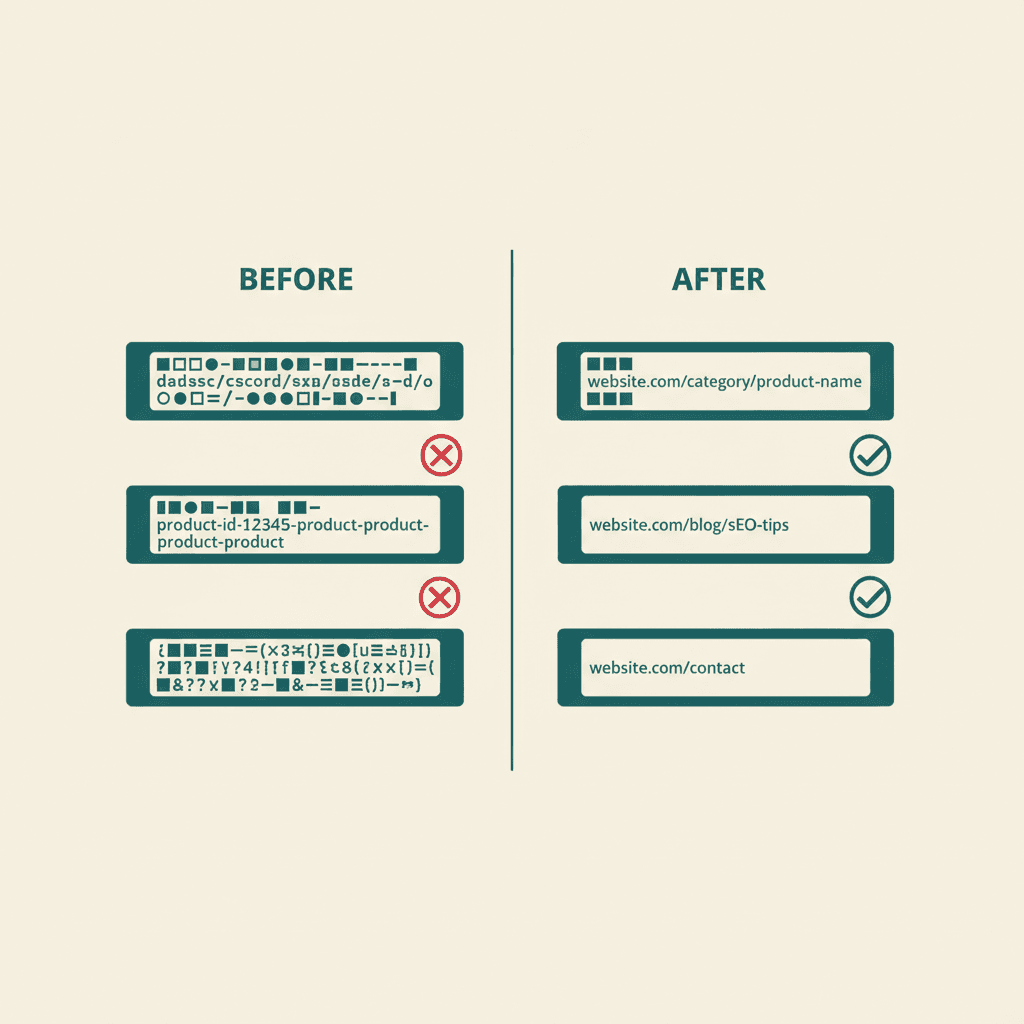
Compare these two URLs for the same page:
- `example.com/p?id=4823&category=12&lang=en`
- `example.com/blog/on-page-seo`
The first is a parameter-heavy URL generated by a CMS. It tells Google nothing about the page content and tells the user even less. The second is descriptive, short, and immediately communicates the topic.
The core characteristics of a well-optimized URL:
Short and focused. Shorter URLs are easier to share, display cleanly in search results, and are less likely to be truncated. Aim for under 75 characters total, with the slug portion under 50.
Descriptive and keyword-relevant. Include your primary keyword in the slug. Not stuffed — just accurately descriptive. A page about SEO-friendly URLs should have "seo-friendly-urls" in its URL.
Hyphens as word separators. Use hyphens (-) to separate words in your URL slug. Google treats hyphens as word separators, making the individual words readable by the crawler. Underscores (_) are treated as joiners — "seo_tips" is read as "seotips."
Lowercase only. URLs are case-sensitive on some servers. `example.com/Blog/Post` and `example.com/blog/post` can be treated as separate URLs, creating duplicate content issues. Use all lowercase across all URLs.
No special characters or spaces. Spaces become `%20` in URLs, creating ugly links. Special characters (!, @, #, $) can cause crawling issues. Stick to alphanumeric characters and hyphens.
HTTPS. This is a URL-level signal. Google has used HTTPS as a ranking factor since 2014, and in 2026, non-HTTPS URLs are flagged as insecure in all major browsers. If you're still on HTTP, the SSL migration is overdue.
URL Structure and Site Hierarchy
Individual slugs matter, but your URL structure as a whole also communicates your site's architecture to Google.
A logical URL hierarchy looks like this:
```
example.com/ ← Homepage
example.com/seo/ ← Service category
example.com/seo/local/ ← Specific service
example.com/blog/ ← Blog root
example.com/blog/on-page-seo/ ← Blog post
example.com/blog/on-page-seo-tools/ ← Related blog post
```
Google uses URL paths to infer content relationships. Blog posts under `/blog/` are understood as editorial content. Service pages under `/seo/` are understood as commercial pages. This structure reinforces the topical architecture yon-page SEO strategy is building through content.
Flat structure (everything at root domain level) is acceptable for small sites but becomes problematic at scale. Deep nesting (more than 3-4 levels of subdirectories) buries content from crawlers and dilutes internal link equity.
For most business sites and blogs, a two-level structure (`/category/post-slug`) is both practical and well-suited for SEO.
Subdomains vs Subdirectories
For content strategy decisions — especially for blogs and international sites — the subdomain vs subdirectory question matters.
Subdomain: `blog.example.com/post-title`
Subdirectory: `example.com/blog/post-title`
Google's official position is that it handles both equivalently. In practice, subdirectories consolidate link authority more reliably because all pages exist under a single root domain. Backlinks to any page under `example.com` contribute to the domain's overall authority regardless of which subdirectory the linked page is in.
Subdomains can be treated as separate sites by Google, which means links pointing to `blog.example.com` may not contribute authority to `example.com` as efficiently. For most businesses, subdirectories are the safer and simpler choice.
Keywords in URLs: Still Relevant in 2026?
Yes, but with diminished weight compared to earlier SEO eras.
Google has confirmed that keywords in URLs are a "very lightweight" ranking signal — meaningful as a tiebreaker and as a relevance signal in isolation, but not a significant ranking factor by itself. The primary value of keywords in URLs in 2026 is:
User trust. When a URL appears in a SERP result or is shared as a link, a descriptive URL containing the keyword reassures users that the page delivers what they're looking for.
Anchor text inference. When other sites link to your URL without specifying anchor text, Google uses the URL itself as an anchor text signal. A URL containing your target keyword provides a mild relevance signal in this context.
Click-through clarity. In a search result, the URL (displayed as breadcrumbs below the title) contributes to the user's decision to click. A clear URL slug reinforces the title's promise.
The practical rule: include the primary keyword in the slug where it's natural and descriptive. Don't force it, stuff it, or make your URL longer to include secondary keywords.
Common URL Mistakes That Hurt SEO
Stop Words and Filler
Stop words — "a," "an," "the," "of," "and," "is" — add length to URLs without adding meaning. Compare:
- `/blog/what-is-the-best-way-to-do-on-page-seo` (too long, stops words included)
- `/blog/on-page-seo-best-practices` (clean, focused)
Remove stop words from URL slugs. They make URLs longer and don't contribute to the keyword signal.
Dynamic Parameters on Important Pages
CMS-generated URLs with parameters (`?page=2&sort=price&filter=red`) create multiple URLs for the same or similar content. This can result in duplicate content issues and diluted link equity.
Use canonical tags to point Google to the preferred version of parameterized URLs, or configure your CMS to generate clean static-style URLs for all important pages.
Changing URLs Frequently
Every time a URL changes without a proper 301 redirect, you lose the link equity that pointed to the old URL. Even with a 301 redirect in place, there's typically a 10-15% authority loss in the transfer.
Establish your URL structure early and commit to it. For sites rebuilding their URL architecture as part of an on-page SEO audit, setting up 301 redirects for all changed URLs is not optional — it's what preserves the site's existing ranking equity through the transition.
Keyword Cannibalization via URL Duplication
If your site has `/blog/on-page-seo` and `/seo/on-page-seo` and `/guides/on-page-seo` — three pages with similar URLs targeting similar keywords — you have a cannibalization problem at the URL level. This is one of the common on-page SEO mistakes that creates ranking dilution instead of accumulation.
URL Canonicalization
A canonical tag tells Google which version of a URL is the "official" one when multiple URLs point to the same or similar content.
Common canonicalization scenarios:
- HTTP vs HTTPS versions of the same page
- www vs non-www versions (`www.example.com` vs `example.com`)
- Trailing slash vs no trailing slash (`/page/` vs `/page`)
- URL parameters that create near-duplicate pages
Your site should consistently redirect all variations to a single canonical form. In 2026, AI crawlers have added a new dimension to this — multiple AI crawler user agents may access your pages, and consistent canonical signals help them correctly attribute your content.
The canonical tag doesn't guarantee Google will follow it, but it's the clearest available signal of your preferred URL. Combine it with consistent internal linking to the canonical version for maximum effect.
Handling URL Changes
If you need to change URLs — for a site redesign, CMS migration, or URL structure cleanup — the rules are clear:
- Map every old URL to its new equivalent
- Set up 301 (permanent) redirects from old to new
- Update all internal links to point to the new URLs
- Update your XML sitemap to reflect the new URLs
- Submit the new sitemap in Google Search Console
- Monitor Google Search Console for crawl errors after the change
301 redirects preserve roughly 85-99% of link equity in most cases. Redirect chains (old URL → intermediate URL → new URL) lose more equity at each hop — avoid them by redirecting directly to the final destination URL.
For Philippine businesses migrating from WordPress to new platforms (a common project), the URL change management step is frequently where ranking equity is inadvertently destroyed. Our SEO services team handles migration planning as a technical SEO deliverable.
Breadcrumb Schema and URL Structure
In 2026, breadcrumb structured data interacts meaningfully with URL structure in search results.
When you implement BreadcrumbList schema on your pages, Google may display breadcrumbs below your title in search results instead of the raw URL. For a page at `example.com/blog/on-page-seo-tools`, a breadcrumb display of `Home > Blog > On-Page SEO Tools` is cleaner and more readable than the full URL.
Breadcrumb schema also helps Google understand your site's content hierarchy, reinforcing the architectural signals your URL structure provides. It's a relatively easy implementation that pays off in both SERP appearance and Google's understanding of your content relationships.
URL structure and breadcrumb schema work together with on-page SEO vs technical SEO considerations — the URL is the junction point where both disciplines meet.
SEO-Friendly URL Checklist
Use this before publishing any new page or conducting a URL audit:
- Slug contains primary keyword
- Slug uses hyphens, not underscores or spaces
- Slug is all lowercase
- URL is under 75 characters total
- No stop words or unnecessary filler
- No dynamic parameters (or canonical tag in place)
- HTTPS enabled
- Consistent www/non-www and trailing slash policy
- 301 redirects in place for any changed URLs
- Breadcrumb schema implemented
- URL matches page content accurately
URL structure is one component of a broader SEO optimization strategy that includes content, links, and technical elements.
URLs are also impacted by website architecture and design decisions made during development.
As AI interprets URLs for context, clean URL structures increasingly matter for AI-driven search visibility.
Frequently Asked Questions
How long should an SEO-friendly URL be?+
Keep URL slugs under 50 characters and total URLs under 75 characters where possible. Short URLs display more cleanly in search results, are easier to share, and reduce the risk of truncation. Focus on being descriptive, not comprehensive — the URL is a label, not a summary.
Should I use hyphens or underscores in URLs?+
Always use hyphens. Google treats hyphens as word separators, so `/seo-tips` is read as the words "seo" and "tips." Underscores are treated as word joiners, so `/seo_tips` is read as "seotips." Hyphens are the universal standard for SEO-friendly URL slugs.
Do keywords in URLs still matter for SEO in 2026?+
Yes, but with modest weight. Keywords in URLs provide a light relevance signal and improve user trust by making it clear what a page covers before clicking. They're not a significant standalone ranking factor — strong content and on-page optimization matter far more — but they're a good practice with no downside.
What should I do with old URLs when I restructure my site?+
Set up 301 permanent redirects from every old URL to its new equivalent. Update internal links to point directly to new URLs. Update your XML sitemap and resubmit it in Google Search Console. Monitor for crawl errors. Never leave old URLs returning 404 errors on pages that previously had link equity — you'll lose the authority those backlinks provided.
Does HTTPS affect URL ranking signals?+
Yes. Google has used HTTPS as a lightweight positive ranking signal since 2014. More practically, non-HTTPS URLs are marked as insecure in all major browsers, which reduces user trust and click-through rates. If your site is still on HTTP, migrating to HTTPS is an SEO and user experience priority.