SEO-Friendly Web Design: Architecture Over Aesthetics
A beautiful website that search engines can't read is a liability. Learn how URL structure, heading hierarchy, internal linking, schema, and Core Web Vitals make design SEO-ready.

There is a persistent belief that web design and SEO are separate concerns — that design is handled first, and then SEO is "applied" afterward. This belief produces websites that look good and rank poorly. The most effective approach treats SEO not as a layer applied to a finished design, but as a structural principle that shapes design decisions from the ground up.
Architecture precedes aesthetics. A beautifully designed website built on poor URL structure, heading hierarchy that confuses crawlers, slow page speeds, and missing schema markup will consistently underperform a plainer site with solid foundations. This guide covers the structural elements that make a website genuinely SEO-friendly — not as an afterthought, but as foundational design requirements.
URL Structure: The Skeleton of Your Site
A URL is not just a technical address — it is a signal to both search engines and users about the content of a page. Well-designed URL structures make the hierarchy of a site legible to crawlers and communicate relevance signals for target keywords.
Principles of SEO-friendly URL structure:
Short and descriptive: `/services/seo-consulting/` communicates content more clearly than `/page?id=1247&cat=3`. The former is readable by humans and parseable by search engines; the latter tells neither anything meaningful. The depth of URL design principles affects how Google interprets page importance within a site hierarchy.
Keyword-inclusive: The primary keyword for a page should appear in its URL when natural. `/local-seo-philippines/` signals to search engines what the page covers before a single word of body text is crawled.
Consistent use of hyphens: Hyphens separate words in URLs — `/seo-audit-tools/`, not `/seoaudittools/` or `/seo_audit_tools/`. Google treats hyphens as word separators; underscores are not treated the same way.
Hierarchical structure: Folder structure should reflect content hierarchy. Service subcategories should live under service parent directories (`/seo/local/`, `/seo/technical/`) rather than all at the root level. This signals topic clustering to search engines and creates a more navigable site architecture.
Avoid parameters where possible: Session IDs, filter parameters, and tracking parameters in URLs can cause duplicate content issues and dilute crawl budget. Where necessary, use canonical tags to consolidate duplicate URL variants.
Permanent URLs: Changing URLs destroys accumulated link equity. URLs should be considered permanent addresses — if they must change, 301 redirects preserve link equity, but the chain of redirects adds latency and the equity transfer is not 100%.
The Philippine businesses that struggle most with URL structure are those that built their first sites without thinking about hierarchy, then grew the content in ways that cannot be reorganized without breaking URLs that have accumulated backlinks and ranking history.
Heading Hierarchy: Document Structure for Crawlers
HTML heading tags (H1 through H6) serve a dual purpose: they create visual hierarchy for readers and document structure for search engine crawlers. When heading hierarchy is broken — multiple H1s, headings used purely for styling, or keyword stuffing in headings — it degrades both the user experience and the crawler's ability to understand page content.
One H1 per page. The H1 is the page's primary topic declaration. It should contain the primary keyword and accurately describe what the page covers. Using multiple H1s creates ambiguity about what the page is principally about.
H2 for main sections, H3 for subsections. The logical sequence should not jump from H1 to H3, or use H4 for major sections and H2 for minor ones. The nested structure of headings should mirror the conceptual hierarchy of the content.
Headings for structure, not styling. Never apply a heading tag to text purely because it needs to be large or bold. Use CSS classes for visual emphasis. Heading tags carry semantic meaning that affects how crawlers parse document structure — decorative use dilutes that signal.
Keywords in headings. H2 and H3 headings are significant keyword signals. Including relevant keyword phrases in section headings — naturally, not forced — reinforces the topical relevance of the page for those terms. "Local SEO Services for Philippine Businesses" in an H2 is more effective than a generic "Our Services" heading.
The discipline of maintaining clean heading hierarchy is often lost when websites use page builders (Elementor, Divi, WPBakery) where heading tags are set by visual layout choices rather than semantic intent. Auditing heading structure with a browser extension or SEO audit tool is a standard step in any site review.
Internal Linking: The Circulatory System
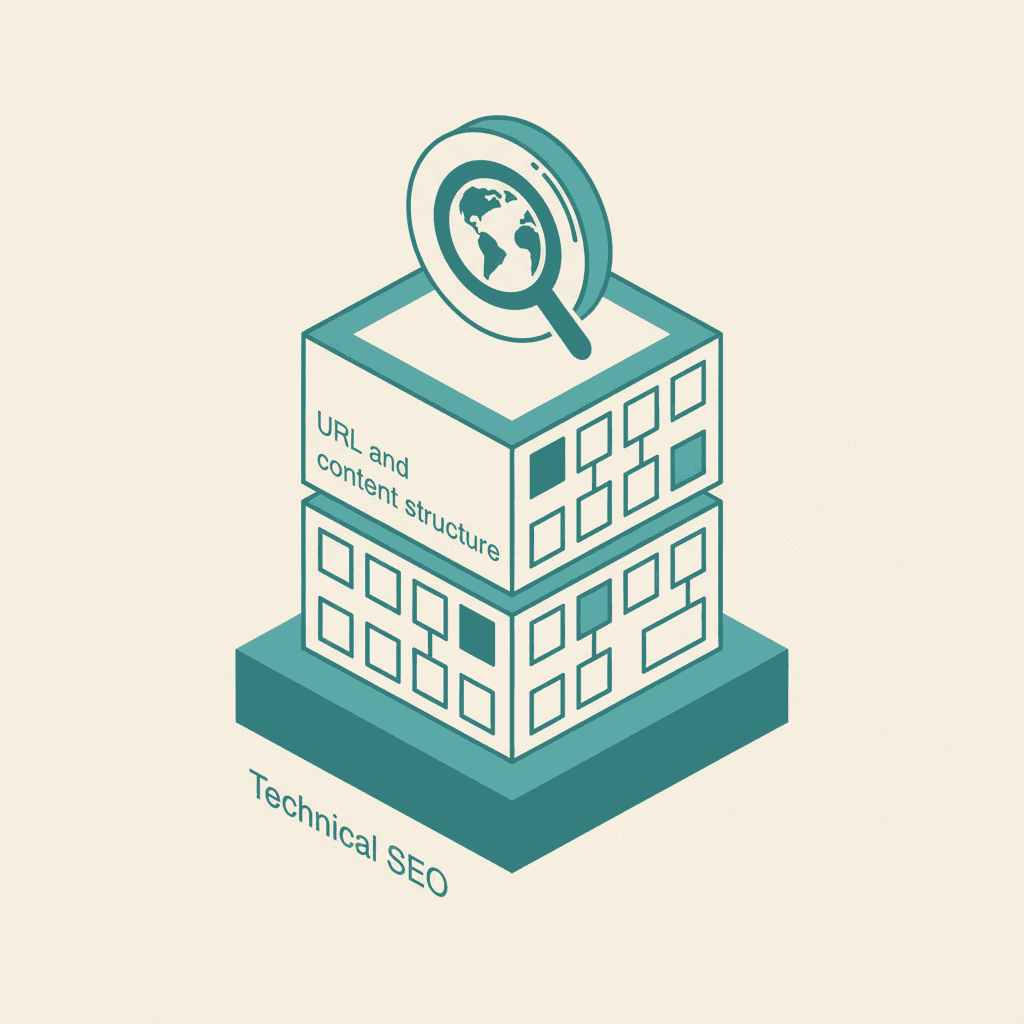
Internal linking — hyperlinks between pages within the same domain — is one of the most powerful and most underutilized SEO tools available. It serves three functions simultaneously: it helps users navigate, it passes PageRank (link equity) between pages, and it signals to search engines the topical relationships between pages on the site.
Link from authority pages to important target pages. If the homepage or a high-traffic blog post links to a service page, that link passes equity that helps the service page rank. Identifying the most authoritative pages on the site (by backlinks and internal link concentration) and ensuring they link to priority commercial pages is a basic PageRank optimization.
Use descriptive anchor text. The clickable text of an internal link should describe what the linked page is about, including the keyword when natural. "Learn more" and "click here" anchors provide no topical signal to crawlers. "A complete guide to on-page SEO" tells both the user and the crawler what they will find on the other end.
Link relevant content together. Blog posts should link to related service pages. Service pages should link to supporting blog content. Related blog posts should link to each other. This creates a web of topical authority that search engines recognize as expertise in a domain area.
Avoid orphan pages. A page with no internal links pointing to it cannot be discovered by crawlers unless it is specifically in the sitemap. Every page on the site should be reachable from at least one other page through natural navigation.
Flat architecture where possible. Pages that are 3–4 clicks from the homepage receive less crawl attention and equity than pages 1–2 clicks away. Keeping important pages accessible from the main navigation or from multiple internal links ensures they receive adequate crawl frequency.
The internal linking strategy should be documented and maintained — particularly as content grows. Sites with dozens or hundreds of pages need a systematic approach to ensure new content is properly integrated into the existing link structure, not published as an island with no connections.
Schema Markup: Speaking Search Engines' Language
Schema markup is structured data embedded in a page's HTML that tells search engines — in machine-readable format — what a page is about. It does not directly affect rankings but enables rich search results (star ratings, FAQ dropdowns, product pricing, event dates) that increase click-through rates from the SERP.
Key schema types for Philippine businesses:
Organization schema: Name, URL, logo, contact information, and social media profiles. Establishes the business entity in Google's Knowledge Graph.
LocalBusiness schema: For businesses serving a local market (which describes most Philippine businesses), LocalBusiness schema includes address, phone, hours of operation, and geographic service area. This directly supports local search visibility.
Article schema: For blog posts and news articles, this signals content type, author, publication date, and modification date. Important for triggering rich results in Google News and article snippets.
FAQ schema: Structured FAQ content can appear as expandable Q&A dropdowns directly in search results, increasing the visual footprint of a page on the SERP without requiring a higher ranking position.
Product schema: For e-commerce, product schema enables price, availability, and rating information to appear in search results — significantly improving click-through rates for product pages.
BreadcrumbList schema: Breadcrumb markup renders the site hierarchy path in search results (e.g., "Home > SEO Services > Local SEO"), making results easier to evaluate and improving click-through rates.
Implementing schema requires either manual JSON-LD code embedding or a plugin (for WordPress users, Rank Math and Yoast handle common schema types automatically). The quality of implementation matters — incomplete or inaccurate schema can result in rich result penalties.
Core Web Vitals: Performance as Design Requirement
Core Web Vitals — Google's set of user experience metrics — are now confirmed ranking factors. The three metrics (LCP, INP, and CLS) measure loading speed, interactivity, and visual stability respectively. Failing these metrics is not just a technical problem; it is a design problem, because the decisions that cause poor Core Web Vitals are often made during the design phase.
Largest Contentful Paint (LCP) measures how long it takes for the largest visible element to load. Oversized hero images, web fonts that block rendering, and unoptimized above-the-fold content all cause poor LCP. Design choices like hero images that are 5MB+ JPEGs or complex CSS animations create LCP problems that no amount of server-side optimization can fully compensate.
Interaction to Next Paint (INP) measures the time between a user interaction and the visual response. Heavy JavaScript, unoptimized event handlers, and complex render trees create poor INP. Design decisions to use heavy interactive components or large JavaScript frameworks without code-splitting result in interactivity problems.
Cumulative Layout Shift (CLS) measures how much visible content shifts unexpectedly as the page loads. Ads, images, and embeds without explicit dimensions cause elements to jump as they load, creating a poor reading experience and a poor CLS score. Setting width and height attributes on all images is a basic design requirement, not an optional optimization.
The relationship between Core Web Vitals and site design is covered in depth in the Core Web Vitals guide, and it connects directly to technical SEO practices that determine how Google assesses page experience.
Mobile-First Design: The Non-Negotiable
Google uses mobile-first indexing — it crawls and indexes the mobile version of websites, using that version as the basis for ranking decisions. In the Philippines, where smartphone penetration exceeds desktop access for most demographics, mobile-first is not just a Google requirement; it is a user reality.
Mobile-first design means designing for mobile screen sizes and constraints first, then scaling up for desktop — not the reverse. The common failure mode is a desktop-first design with a responsive template applied, which produces a mobile experience that technically loads on smartphones but was never conceived for the way mobile users navigate.
Key mobile-first design requirements:
Touch targets sized appropriately. Buttons and links should be at minimum 44×44px to prevent accidental taps. Navigation menus on mobile need enough spacing between items to be usable with a finger, not a cursor.
Font sizes that do not require pinch-to-zoom. Body text at 16px minimum, with line heights of 1.5 or greater. Small text on mobile drives high bounce rates and creates accessibility problems.
Navigation designed for thumbs. Hamburger menus are standard, but the hidden content should be accessible in one tap, organized logically, and not require horizontal scrolling. Bottom-anchored navigation for apps and PWAs is increasingly expected by Filipino mobile users.
Page speed on 4G connections. Test page load performance on simulated 4G connections, not fiber-to-the-home. The median Philippine mobile user is on a 4G connection with varying signal quality. A page that loads in 1.5 seconds on fiber can take 4–6 seconds on 4G, crossing the threshold where bounce rates spike dramatically.
Common Mistakes That Undermine SEO-Friendliness
Several design patterns consistently cause SEO problems for Philippine websites.
JavaScript-rendered text content. When page content is rendered exclusively through JavaScript — rather than delivered in the initial HTML response — search engines may not index it fully or consistently. Server-side rendering or static generation should be the default for any content that needs to rank.
Duplicate content from session parameters or pagination. Without canonical tags, URLs that produce the same content (filtered category pages, paginated lists) fragment ranking signals across multiple URLs instead of consolidating them on the canonical page.
Overuse of JavaScript for navigation. Navigation rendered entirely in JavaScript creates crawlability problems. Standard HTML anchors in navigation are the most reliable approach for passing link equity and ensuring all pages are discoverable.
Images without alt text. Alt text on images serves two purposes: accessibility for visually impaired users, and a keyword signal for image search. Missing alt text is one of the most common on-page SEO mistakes identified in audits.
No structured URL hierarchy for large sites. Sites that grew organically — adding pages and posts without a content architecture plan — frequently end up with inconsistent URL structures, orphaned pages, and conflicting signals about which pages cover which topics.
The SEO-Friendly Design Checklist
Before launch, every page on a new or redesigned site should pass this checklist:
- One H1 per page containing the primary keyword
- Logical H2/H3 heading hierarchy
- URLs that are short, descriptive, and keyword-inclusive
- All images have descriptive alt text and explicit width/height attributes
- Internal links from relevant pages using descriptive anchor text
- Schema markup implemented for the relevant content type
- Mobile rendering tested on real devices and simulated 4G
- Core Web Vitals passing thresholds in PageSpeed Insights
- Meta title (under 60 characters) and meta description (under 160 characters) written
- Canonical tags set for any pages with potential duplicate URL variants
- Sitemap submitted and robots.txt not blocking important content
Connecting professional SEO services with web design from the outset — rather than bringing SEO in as an afterthought — is the most efficient path to a site that performs in search from launch day rather than requiring remediation after the fact. Professional web design services that integrate this technical foundation produce sites that are both beautiful and findable.
The cost of building SEO-friendly architecture into a website from the start is minimal compared to the cost of reconstructing a poorly built site's foundations after launch. Architecture is always cheaper to design correctly the first time than to renovate after the building is complete.
Frequently Asked Questions
Does website design directly affect Google rankings?+
Yes, through several mechanisms. Core Web Vitals (LCP, INP, CLS) are confirmed ranking factors and are directly influenced by design decisions. Mobile-friendliness, crawlability, and URL structure — all design-layer choices — affect how Google indexes and ranks pages. A well-designed site is not guaranteed to rank, but a poorly designed site imposes a structural ceiling on how well it can perform.
What is the most common SEO mistake in Philippine website design?+
Overuse of JavaScript for content that needs to rank is the single most damaging technical pattern. Sites built as single-page applications (SPAs) where all content is client-side rendered consistently underperform server-rendered or statically generated sites in organic search. The second most common mistake is heading hierarchy abuse — using heading tags for styling rather than content structure.
Can I make an existing website SEO-friendly without rebuilding it?+
In most cases, yes — though the improvements available depend on what was built. URL structure changes on an established site require careful redirect planning to avoid losing existing rankings. Schema markup and meta tags can be added to most CMS platforms without rebuilding. Core Web Vitals improvements require developer work but do not require a full rebuild. A [technical SEO audit](/seo/audit) will identify which issues can be patched and which require architectural changes.
How important is website speed for Philippine businesses?+
Very important, particularly because a significant share of Philippine users access websites on mobile devices over variable 4G connections. A 1-second improvement in page load time can increase mobile conversion rates by 15–20%. Google's PageSpeed Insights provides a free report — targeting a score above 80 on mobile is a reasonable performance goal for most business websites.
Should SEO professionals be involved during the web design process?+
Yes, ideally from the information architecture stage before any design work begins. URL structure, page hierarchy, content groupings, and navigation design all have significant SEO implications that are far easier to implement correctly from the start than to correct after a site is built and live.